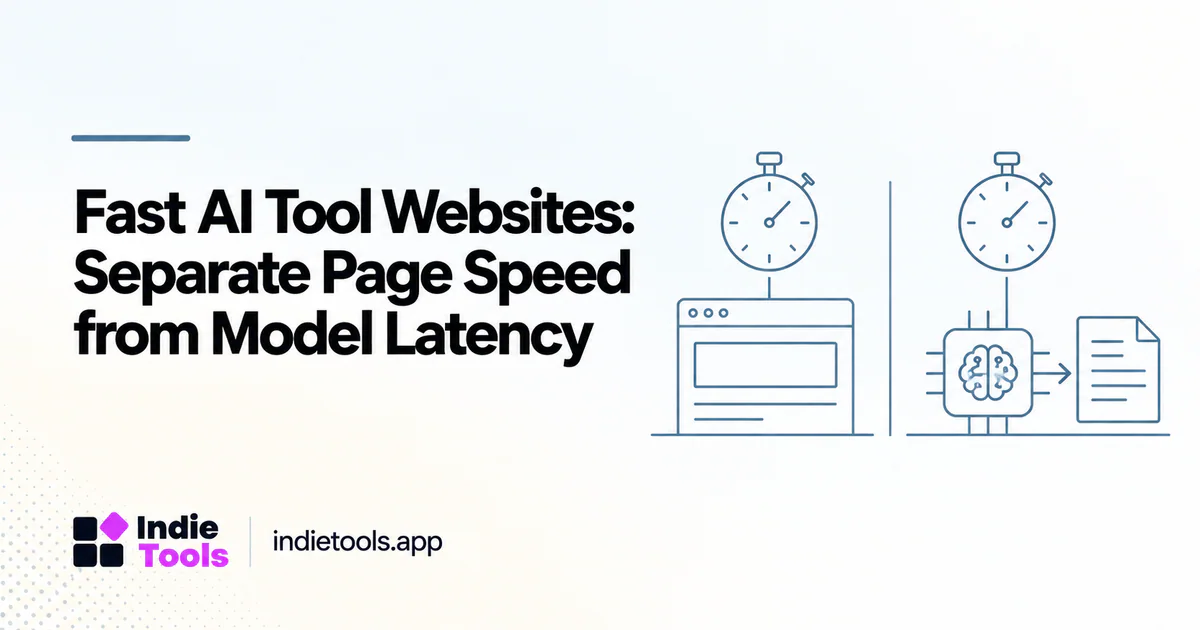
An AI tool can have a fast website and a slow generation workflow. It can also have a heavy marketing page and a responsive application once the user signs in. Comparing these products requires two clocks: the time it takes to reach a usable interface and the time it takes to receive a useful model result.
The AI category in IndieTools Speed is a website-performance comparison, not a ranking of model intelligence or inference speed. That distinction should guide both product selection and any benchmark you publish. [1]
Write the user journey as separate stages
Map the journey before collecting numbers. A visitor opens the landing page, understands the offer, reaches the application, submits an input, waits for processing, and reviews the output. Each stage has a different failure mode.
The first stage can be delayed by images, scripts, or rendering. The submission stage can fail because the interface is unclear or unresponsive. The processing stage can depend on the workload, queue, model, input size, and output requirements. A single “fastest AI tool” label hides these differences.
For a fair comparison, create separate columns for website evidence and workflow evidence. Leave unavailable values unknown. A product with no public generation benchmark should not inherit its homepage score as a substitute.
Compare equivalent tasks, not marketing demonstrations
An image-generation tool and a customer-support assistant do not perform the same job. Even two writing tools may use different defaults for output length, model selection, retrieval, or quality settings. Define a task that matters to your own use case.
For example, an illustrative support workflow could use the same sanitized question, the same reference document, and the same completion criteria across shortlisted tools. A useful result must answer correctly and cite the relevant information where required. A fast but unusable response is not a successful completion.
Run your own trial only with data you are permitted to share. Do not upload confidential customer material simply because a tool offers a convenient demo. Public directory descriptions can help build the shortlist; they do not replace a review of the product's current data-handling terms.
Measure time to useful output
Distinguish first visible feedback from completion. An interface may immediately show a spinner, then stream text, then finish a result. Those events tell different stories. A reader needs to know which event ends the timer.
A practical evaluation table looks like this:
| Stage | Observation to record |
|---|---|
| Public page | Dated mobile website measurement |
| Input readiness | Whether the user can begin the task |
| Submission feedback | Whether the interface confirms acceptance |
| First useful output | First content that helps the user proceed |
| Completed task | Output satisfies the stated acceptance criteria |
| Recovery | What happens after a timeout or rejected input |
These are proposed evaluation fields, not claims that IndieTools measures all six stages automatically.
Avoid treating a lab score as a product verdict
Lighthouse's performance score is a weighted summary of lab metrics. It does not test whether an AI output is correct, private, or commercially useful. [2]
Use a fast homepage as one positive observation about the acquisition experience. Then inspect the actual product workflow. Check whether a generation can be cancelled, whether progress is understandable, and whether the interface preserves the user's input after a failure.
A product that communicates a longer job clearly may be easier to work with than one that appears instant but loses state. This is an evaluation judgment to test with users, not a universal ranking rule.
Make AI demo pages lighter without making them misleading
For founders, the marketing challenge is to show the output without loading the entire application before the visitor asks for it. A static preview can demonstrate the result. An optional interactive demo can handle exploration. The main call to action should remain understandable before either is activated.
If a demo is precomputed, label it as an example. If a video is edited, do not present the clip as a real-time latency test. A product page should help visitors understand what they are seeing rather than encourage them to mistake a polished demonstration for a benchmark.
In an editorial comparison, explain the role of each example. “This website had a strong mobile lab observation” is narrow and checkable. “This is the fastest AI product” requires a much broader test that a directory score cannot supply.
A repeatable shortlist workflow
Begin with the AI product category on IndieTools. Identify products that solve the same job, inspect their public descriptions, and open their dated website measurements. Select a small group for a hands-on workflow trial using your own acceptance criteria.
Keep homepage performance, workflow responsiveness, output quality, and operating constraints in separate sections. This makes it possible to choose a tool that suits the actual task rather than the most attractive score.
Questions to resolve before choosing
Can a fast AI website still have slow generation?
Yes. Loading the interface and completing the model workload are separate stages. Measure both rather than assuming that one predicts the other.
Should generation speed decide the purchase?
Only when the speed difference matters to the workflow and the outputs meet the required quality and safety checks. Evaluate failed jobs and recovery as carefully as successful demonstrations.
The useful outcome is not a universal AI speed winner. It is a shortlist with clearly separated evidence, so a founder can choose the right product and a reader can see exactly what was compared.
Explore related IndieTools resources: product categories.
Continue your research
- AI SaaS Landing Pages: Optimize Demos and Video
- OpenAI-Powered SaaS: Compare the Workflow
- Lighthouse Scores vs Real-User Experience
Sources and verification
Sources consulted for this article on October 1, 2026. Product capabilities are documented claims unless an actual test is explicitly described.