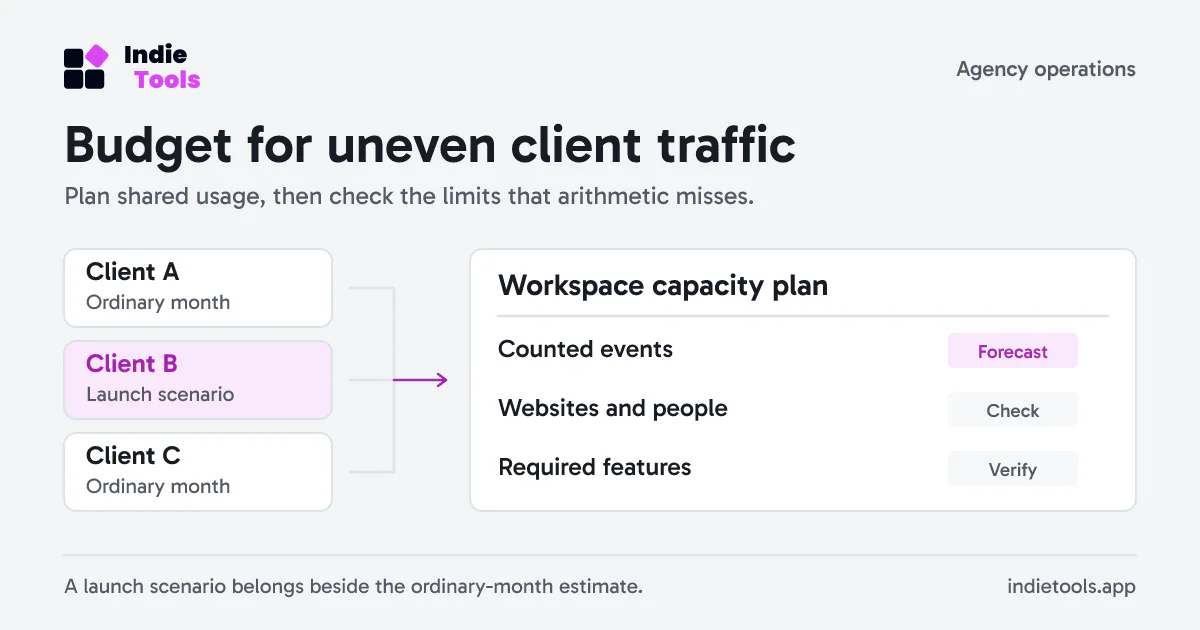
Choosing an analytics plan for an agency is a capacity exercise across clients. Five quiet websites and one launch-heavy website do not behave like six equal slices of a monthly allowance.
Build a shared usage budget from the events the product actually counts. Then check website limits, pending invitations, permissions and required features separately. A large event allowance cannot compensate for a missing feature or an unsuitable client access boundary.
Define the counting unit first
Do not estimate an event-based plan from visitor counts alone. One visitor can generate several pageviews and goals. An outbound click may count too, while an engagement message might not.
Revfaro's billing documentation defines workspace usage as pageviews, goal events and outbound clicks across its websites. Engagement pings, identify calls, payments, bot traffic and excluded traffic do not consume that event allowance. The allowance resets by UTC calendar month, including on yearly subscriptions.
Keep these rules next to the worksheet. If your instrumentation changes from one completion goal to several intermediate goals, revise the forecast rather than assuming traffic growth caused the usage increase.
Model an ordinary month and a launch month
Here is a fictional three-client estimate:
| Website | Pageviews | Goal and outbound events | Planned counted events |
|---|---|---|---|
| Client A | 18,000 | 2,000 | 20,000 |
| Client B | 42,000 | 8,000 | 50,000 |
| Client C | 12,000 | 3,000 | 15,000 |
| Total | 72,000 | 13,000 | 85,000 |
If Client B's launch is expected to add 70,000 counted events, the launch scenario becomes 155,000. Add an explicit uncertainty allowance based on your own launches; do not treat an arbitrary percentage as an industry benchmark.
Write assumptions beside the number: expected campaign window, pages per visit, enabled goals and any known crawler exclusions. Replace the estimate with observed usage after the first full reporting period.
Check limits that event arithmetic misses
Count websites and people, including pending invitations. Decide which clients belong in a shared workspace and which need an independent account boundary. In Revfaro, separate workspaces have separate plans and usage; creating another workspace is not a free extension of the first workspace's allowance.
Then list essential features. Current Revfaro plans include revenue attribution and live view, while funnels and API access require Traction or Velocity. Consult the current plan table before purchasing rather than relying on an old screenshot or a comparison article.
Also distinguish data retention from billing duration. Paying yearly does not turn a monthly event quota into one annual pool. Retention describes how long historical records remain available; it does not describe how much new traffic the workspace can collect in a month.
Decide what happens near the limit
Assign one person to review workspace usage and expected campaigns. A client who schedules a launch should be able to tell that person before the allowance is exhausted.
Document the product's actual limit behavior. Revfaro warns at the quota boundary and locks analytics access at the limit; tracking continues while the monthly quota is exceeded. That is different from an expired trial, where collection behavior also changes. Read the billing rules before promising uninterrupted client reporting.
When the forecast grows, first check for duplicated tracking or unnecessary goals. If the events are valid, change the capacity plan. Removing meaningful measurement simply to make a forecast fit can leave the agency unable to explain its results.
Revisit the commercial decision with evidence
Keep the estimate, observed month and next launch scenario together. This makes a plan change a traceable operating decision instead of a reaction to a warning email.
Use SaaS pricing models explained to compare how different tools charge. When evaluating the trial itself, freemium versus free trial for SaaS helps separate a temporary evaluation window from the capacity and operating model you need afterward.
 Revfaro