Quick answer: Model Context Protocol (MCP) is an open standard that lets AI applications connect to external tools, data and reusable prompts through a common client-server protocol. An MCP host creates a client connection to an MCP server, discovers its capabilities and invokes them. MCP standardizes the connection; it does not replace authentication, authorization, APIs or application security.
The official MCP documentation describes it as an open-source standard for connecting AI applications to external systems. Instead of building a custom integration for every AI host and service combination, a server can expose a portable interface that compatible hosts understand.
The problem MCP solves
Without a standard, each AI application must implement custom connectors:
| AI host | Service | Traditional integration |
|---|---|---|
| Coding assistant | Git provider | Custom tool schema and adapter |
| Desktop assistant | Local files | Host-specific plugin |
| Research agent | Document system | Another bespoke connector |
| Support agent | Ticket platform | Another adapter and auth flow |
MCP creates a shared protocol between the AI application and the integration. The service logic may still call ordinary REST, GraphQL, database or SDK APIs behind the server.
MCP architecture
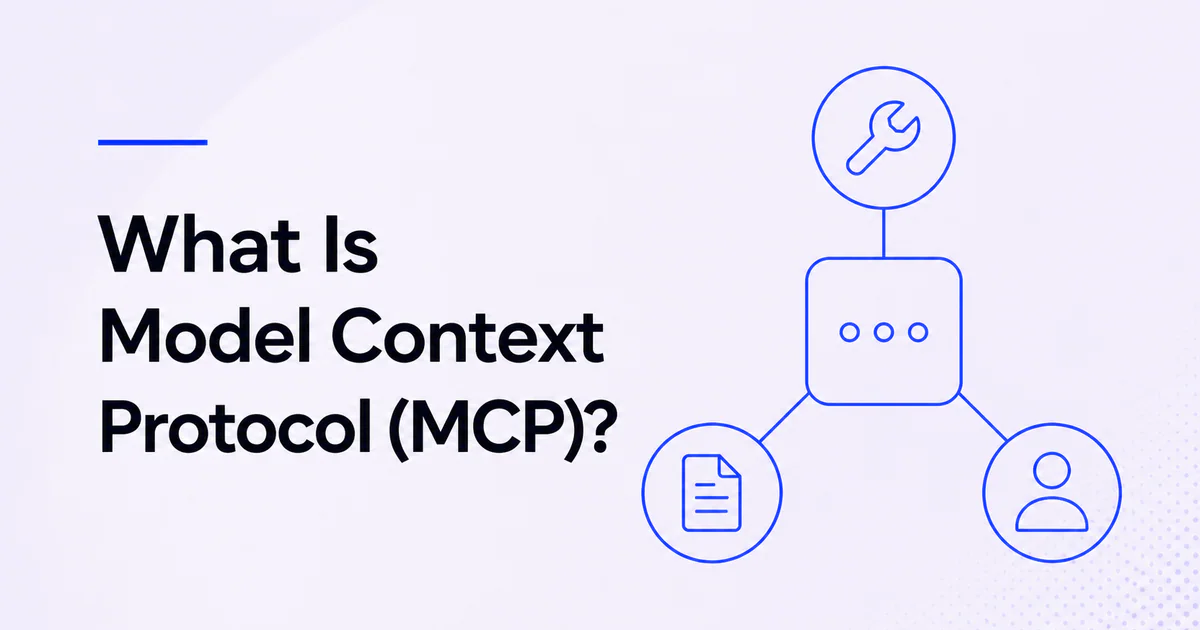
MCP uses three roles:
Host
The host is the AI application users interact with, such as an IDE, desktop assistant or agent platform. It owns the user experience, trust decisions, model context and coordination of connections.
Client
The host creates an MCP client for each server connection. The client handles protocol messages, capability negotiation and the dedicated relationship with that server.
Server
The server exposes capabilities from a local or remote system. It may connect to files, databases, SaaS APIs, documentation or specialized computation.
The official architecture documentation states that one host can connect to multiple servers and creates one client per server. Read how MCP works for the lifecycle and transport detail.
What MCP servers expose
Tools
Tools are callable operations. They may read information or cause side effects, such as searching issues, creating a record or running a calculation.
Tool definitions include a name, description and input schema. Hosts decide which tools become available to the model and whether approval is required.
Resources
Resources provide readable context identified by URI, such as documents, database schemas or files. They are closer to application-controlled data access than model-selected actions.
Prompts
Prompts are reusable parameterized templates that servers can publish for a domain or workflow. They help clients present supported ways to use the integration.
The protocol also includes client-side and evolving capabilities, but tools, resources and prompts are the clearest starting model.
Local vs remote MCP servers
| Server type | Typical transport | Best fit | Primary risk |
|---|---|---|---|
| Local | stdio | Filesystem, local development and desktop tools | Package can access the local machine |
| Remote | Streamable HTTP | Shared services and cloud integrations | Network trust, OAuth and third-party data handling |
The July 2026 MCP transport specification identifies stdio and Streamable HTTP as the standard transports. A local server is not automatically safer; it can execute code with the user's permissions. A remote server is not automatically untrusted; official providers can operate strong services, but the host must verify identity and data policy.
MCP is not an API replacement
An API defines how software accesses a service. MCP defines a standard way for AI hosts to discover and use capabilities. An MCP server often wraps one or more APIs.
For example, Stripe's official MCP server exposes tools that interact with Stripe's API and knowledge base. The API remains the underlying product interface. Read MCP vs API for a detailed comparison.
MCP is not function calling
Function calling lets a model produce structured arguments for functions defined by an application. MCP adds discovery, protocol lifecycle, transports and portable servers. A host may import MCP tools and expose them to a model through its function- or tool-calling mechanism.
MCP is not RAG
Retrieval-augmented generation retrieves relevant knowledge before generation. MCP can provide a retrieval tool or resource, but it also exposes actions and workflows. RAG is an application pattern; MCP is an integration protocol.
See MCP vs RAG.
Example MCP workflow
A coding agent connected to a Git provider might:
- Host connects to the official MCP server.
- Client and server initialize and negotiate capabilities.
- Host lists allowed tools.
- Model selects a read-only issue-search tool.
- Server calls the provider API with delegated authorization.
- Structured results return to the host.
- Model prepares a proposed issue update.
- Host asks the user to approve the write.
- Server performs the approved action.
- Host verifies and displays the result.
MCP standardizes messages around the integration. The host remains responsible for approval and user experience; the server remains responsible for correct authorization and API behavior.
When should you use MCP?
Use MCP when:
- a capability should work across several compatible AI hosts;
- a service wants to publish tools or data for agents;
- local and remote integrations need a common abstraction;
- dynamic capability discovery is useful;
- integration ownership should be separated from the agent application;
- an existing API needs an agent-friendly interface.
Use an application-native function when one application owns both sides, the tool is small and portability adds no value. MCP introduces lifecycle, transport, security and versioning responsibilities.
MCP and AI agents
MCP supplies capabilities; an agent supplies the goal-directed loop. An AI host can use MCP without running a highly autonomous agent, and an agent can use ordinary functions without MCP.
Read what is an AI agent and how to connect an AI agent to MCP.
IndieTools-listed dullnote describes an MCP connection for AI-assisted project files, while SEOReport describes an MCP endpoint for audits. Verify current compatibility, permissions and setup directly.
Security responsibilities
- Connect only to servers you trust.
- Prefer official provider-operated servers.
- Review tools and requested scopes.
- Require approval for sensitive actions.
- Log data sent to remote servers.
- Validate tool arguments and outputs.
- Protect OAuth tokens and local credentials.
- Isolate local server processes where possible.
- Reassess behavior after server updates.
- Apply data residency and retention requirements end to end.
The MCP security guide covers these controls.
Frequently asked questions
What does MCP stand for in AI?
MCP stands for Model Context Protocol.
Who created MCP?
Anthropic introduced MCP as an open protocol. It is now developed as an open-source project with a public specification and ecosystem.
Does MCP work only with Claude?
No. MCP is an open standard supported by multiple AI applications and developer platforms, including OpenAI API integrations and GitHub tooling.
Is MCP a programming language?
No. It is a protocol and schema implemented by clients, servers and language SDKs.
 APINEED
 Stardew Valley Tracker
 IcyZip