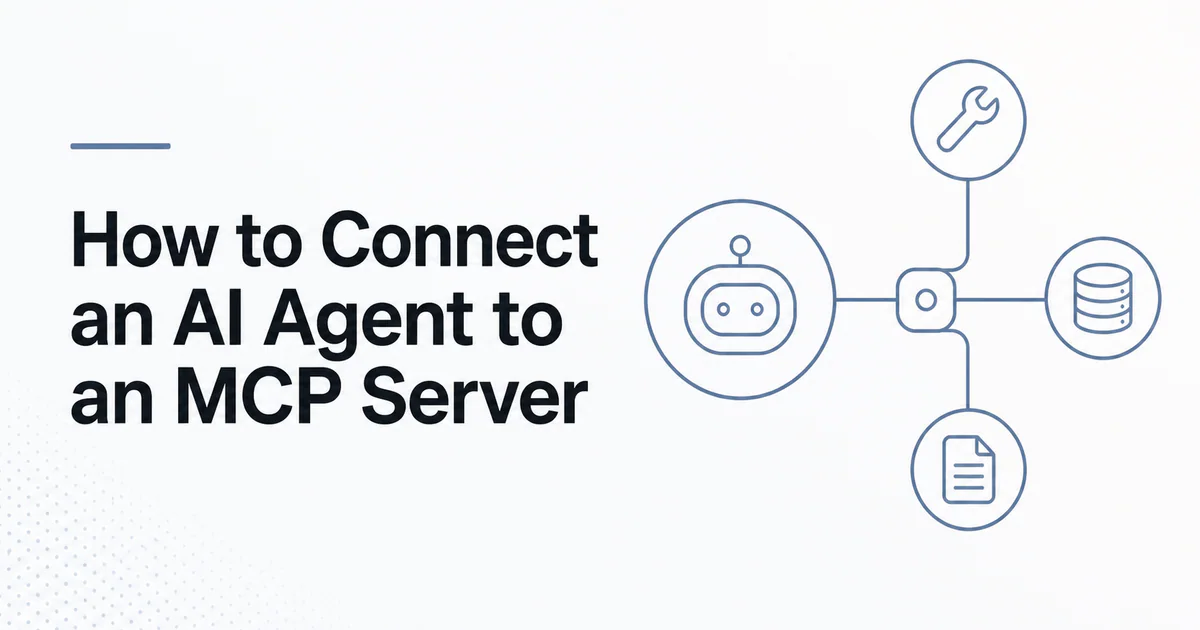
Quick answer: To connect an AI agent to an MCP server, verify the server and publisher, choose the supported transport, configure the server in an MCP-capable host, complete authentication, inspect and restrict the discovered tools, require approval for sensitive actions, then test the complete task with tracing enabled. A successful connection is only the start; safe capability selection and authorization make it production-ready.
MCP separates an integration server from the AI application. The application is the host, and it creates an MCP client for each configured server. That client initializes a session, negotiates capabilities and makes selected tools or resources available to the agent.
For the underlying roles and lifecycle, read what is Model Context Protocol and how MCP works.
Before you connect: define the task
Start with a specific outcome, such as:
- search repository issues and summarize duplicates;
- retrieve current billing objects for support analysis;
- search internal documentation and cite sources;
- run a read-only SEO audit;
- inspect a web page for a QA workflow.
Then list the minimum capabilities that outcome needs. If the agent only searches documentation, it should not receive account deletion or payment write tools. This task-first approach reduces tool-selection errors and limits the impact of prompt injection.
Step 1: verify the MCP server
An MCP server can receive data from your agent and, depending on its tools, act on connected systems. Check:
- who operates or publishes it;
- whether the server URL or package source is official;
- whether source code and releases are inspectable;
- which data the server receives, stores and shares;
- which OAuth scopes or local permissions it requests;
- how security issues and updates are handled.
Prefer provider-operated servers for sensitive services. A registry entry improves discovery, but it is not a security endorsement by itself. For community packages, review ownership, dependency history and install scripts before execution.
Step 2: choose local or remote transport
| Connection | Transport | Configuration usually contains | Best for |
|---|---|---|---|
| Local server | stdio | Command, arguments and safe environment variables | Local files and developer tools |
| Remote server | Streamable HTTP | HTTPS server URL and authorization | Shared SaaS and company services |
With stdio, the host starts the server as a child process. Do not print ordinary logs to standard output because that stream carries protocol messages. Remember that a local package runs with local process permissions.
With Streamable HTTP, the server is a network service. Use HTTPS, validate the destination and follow redirects cautiously. Remote connectivity introduces OAuth, data residency, service availability and third-party retention questions.
Step 3: add the server to the host
MCP host configuration varies, but the conceptual entries look like this:
{
  "servers": {
    "local-example": {
      "command": "approved-server-command",
      "args": ["--read-only"]
    },
    "remote-example": {
      "url": "https://mcp.example.com/mcp"
    }
  }
}
Treat this as a pattern rather than copy-paste configuration. Use the current schema from your host and the server's official documentation. Do not place long-lived credentials directly in a configuration file committed to source control.
If you are connecting through an API, the agent platform may accept a remote MCP tool definition containing a server label, server URL, optional authorization and an allowed-tool list. OpenAI's Responses API, for example, supports remote MCP servers through its built-in mcp tool.
Step 4: complete authentication
Public read-only servers may require no account authentication. Private servers generally use OAuth or another supported authorization flow.
Review the requested scopes and choose the narrowest set. Separate personal, test and production accounts. For multi-tenant applications, bind the authorization to the signed-in user and tenant; never rely on a tenant ID supplied by the model without server-side verification.
Keep tokens out of prompts, model-visible tool output and logs. Rotate or revoke credentials when a server is removed.
Step 5: inspect discovered capabilities
After initialization, inspect every tool name, description and input schema. Ask:
- Does the tool read, write or delete?
- What upstream system does it access?
- Does it accept broad free-form input?
- Could its output contain untrusted instructions?
- Does it require data from the current conversation?
- Is an equivalent, narrower tool available?
Do not expose the complete catalog by default. Use an allowlist such as search_docs, fetch_doc and list_issues for a research task. Some platforms support deferred tool discovery or tool search, but you should still apply a policy-controlled allowlist.
Read MCP vs function calling to understand how discovered MCP tools become model-callable operations.
Step 6: configure approvals
Require user approval before tools that:
- send messages or publish content;
- create, update or delete records;
- initiate a payment or purchase;
- expose sensitive records to another service;
- execute code or control a browser in an authenticated session;
- change permissions, credentials or infrastructure.
The approval should show the actual action, target and important arguments. “Allow tool?” is weaker than “Create issue in repository X with this title?” Revalidate authorization and current state after approval because data may have changed.
Read-only tools can sometimes run automatically, but “read-only” does not mean harmless. A search query can disclose sensitive prompt content to a remote server, and returned documents can carry indirect prompt injection.
Step 7: connect the tools to the agent loop
The resulting flow is:
- User gives the agent a goal.
- Agent sees the permitted MCP tool definitions.
- Model selects a tool and produces structured arguments.
- Host applies policy and obtains approval if needed.
- MCP client invokes the server.
- Server authenticates, authorizes and performs the operation.
- Structured output returns to the host.
- Agent verifies the result or chooses the next step.
- Host presents evidence and final status to the user.
The host should cap steps, tokens, time and spending. Tool errors should return to the agent in a form it can safely correct, but repeated failure should stop the loop rather than retry indefinitely.
Step 8: test with a controlled task suite
Create tasks that cover:
- successful read operations;
- missing required arguments;
- expired authorization;
- denied scope or cross-tenant object;
- empty and oversized results;
- upstream timeout and rate limit;
- untrusted instructions inside returned content;
- rejected approval;
- write confirmation and post-action verification.
Evaluate task success, tool choice, argument validity, number of calls, latency, cost and policy violations. Read how to evaluate AI agents for a repeatable evaluation design.
Step 9: trace and monitor production use
Record model calls, MCP tool calls, arguments in redacted form, approvals, errors, latency and final outcomes. Do not claim or attempt to log hidden model reasoning; operational traces should focus on observable actions and decisions.
Monitor:
- connection and initialization failures;
- authorization errors;
- tool-call success rate;
- approval acceptance and rejection;
- abnormal call volume;
- cross-tenant access attempts;
- schema or server-version changes;
- output size and cost;
- user-reported incorrect actions.
A capability that worked in staging can change when a remote server deploys a new tool description. Pin versions where supported, restrict tools and rerun evaluations after material changes.
Example: a read-only SaaS research agent
Suppose an agent must prepare a launch review. It can combine:
- a documentation search MCP server;
- a repository server restricted to issues and pull requests;
- internal project context;
- no write tools during the research phase.
After generating a draft, a separate approved workflow can create a task. This separation keeps research data access distinct from consequential action.
IndieTools-listed dullnote describes MCP-accessible project context, and SEOReport describes audit access through MCP. For either type, confirm current endpoint support, requested permissions and data policy with the provider before connecting.
Connection checklist
- Specific task and minimum capabilities defined
- Publisher, package or server URL verified
- Local versus remote transport understood
- Credentials stored outside prompts and repositories
- Tools inspected and restricted with an allowlist
- Sensitive operations require meaningful approval
- Tenant and object authorization enforced server-side
- Prompt injection and failure cases tested
- Observable traces and alerts configured
- Revocation and rollback procedure documented
Use the MCP security best practices guide before enabling production data or write authority.
Frequently asked questions
Does the AI agent connect directly to the MCP server?
The MCP-capable host normally creates and manages the client connection. The agent uses capabilities that the host makes available.
Can one agent connect to multiple MCP servers?
Yes. The host generally creates one client connection per server. Keep catalogs small and apply server-specific permissions.
Do all MCP servers require OAuth?
No. A local stdio server or public read-only server may use a different trust model. Private remote services commonly require OAuth or another secure authorization mechanism.
Should approvals be disabled for faster automation?
Only for low-risk operations after testing and policy review. Consequential writes should retain explicit controls or narrowly bounded, pre-authorized conditions.
 APINEED
 Stardew Valley Tracker
 IcyZip