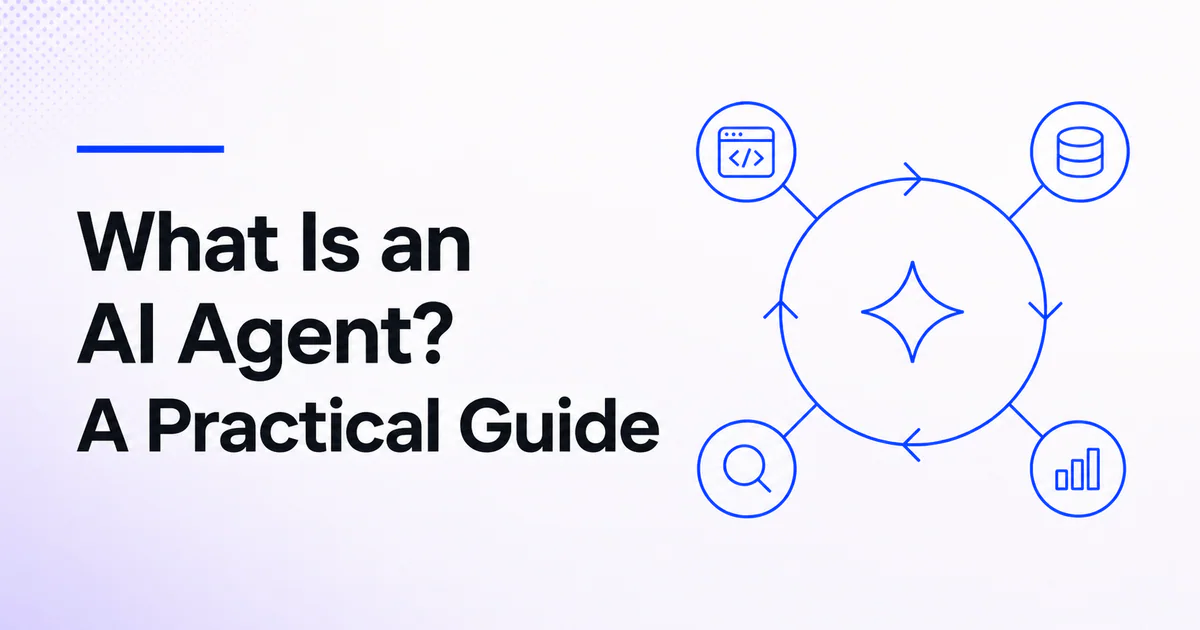
Quick answer: An AI agent is a software system that uses an AI model to pursue a goal, decide what to do next, use tools, observe results and continue until it reaches a stopping condition. Unlike a basic chatbot, an agent can take actions in external systems. Its autonomy should be bounded by permissions, budgets, guardrails and human approval.
“AI agent” is used for everything from a chatbot with one API call to a long-running autonomous worker. A useful definition must describe system behavior rather than marketing language. Google Cloud defines AI agents as software systems that use AI to pursue goals and complete tasks on a user's behalf, with capabilities such as reasoning, planning and memory. In production, the surrounding software is just as important as the model.
The five parts of an AI agent
| Component | Role | Example |
|---|---|---|
| Model | Interprets the goal and selects the next step | Decides whether to search, ask or act |
| Instructions | Define task, constraints and behavior | “Resolve billing questions; never issue refunds without approval” |
| Tools | Read data or perform actions | Search documentation, create a ticket, query an API |
| State and memory | Preserve relevant information | Conversation, task progress, user preferences |
| Control loop | Executes, observes and stops | Model → tool → result → next decision |
An agent framework may also add tracing, retries, handoffs, guardrails, sandboxes and evaluation. These are not optional production details; they determine whether the system is understandable and controllable.
How an AI agent works
A typical run follows this loop:
- Receive a goal. The user or application supplies a desired outcome.
- Build context. The system provides instructions, permitted tools, relevant state and retrieved information.
- Choose a step. The model answers, asks a question or calls a tool.
- Execute safely. Trusted application code validates and runs the selected action.
- Observe the result. The result returns to the agent as new context.
- Continue or stop. The agent repeats until the goal, a limit, an error or an approval boundary is reached.
This is often described as a think–act–observe loop. The model proposes; the agent runtime controls what is actually possible. Read how AI agents work for a deeper architecture walkthrough.
AI agent vs model
A language model generates outputs from inputs. An agent is an application that places a model inside a loop with capabilities and state. The same model can power a one-turn summarizer, a chatbot or an agent depending on the surrounding architecture.
This distinction matters for risk. A model that drafts a cancellation email can be reviewed. An agent with permission to cancel accounts can create a direct side effect. Authorization and approval must match the action, not the perceived intelligence of the model.
AI agent vs chatbot
A chatbot primarily holds a conversation. It may retrieve information, but its normal output is a response. An agent is oriented toward completing a task and may call tools several times.
The boundary is not absolute: a chat interface can host an agent. The difference is whether the system can plan and act beyond generating text. See AI agents vs chatbots for a detailed comparison.
Common types of AI agents
Information agents
These search, retrieve, compare and synthesize information. They need strong source handling, freshness controls and evidence in the final answer.
Action agents
These create tickets, change records, send messages or operate business software. They require least-privilege credentials, idempotency and approval for consequential actions.
Coding agents
Coding agents inspect repositories, edit files, run tests and produce patches. Products such as Ship Studio and AICode illustrate different AI-assisted development workflows listed on IndieTools.
Customer-support agents
These answer from approved knowledge, classify requests and escalate to humans. 99helpers is an IndieTools-listed example oriented around AI support, help-center and feedback workflows.
Multi-agent systems
Several specialized agents coordinate through handoffs or manager-style orchestration. More agents do not automatically improve a workflow. The single-agent vs multi-agent guide explains when separation is justified.
When should you use an AI agent?
Agents fit tasks with:
- a clear goal but variable path;
- tools or data needed along the way;
- observable intermediate results;
- recoverable failure modes;
- meaningful criteria for success;
- a human escalation route for uncertainty or risk.
Examples include investigating a support issue across systems, preparing a research brief with citations, reconciling structured records or applying a well-defined repository change and running tests.
Use deterministic software instead when the steps and rules are fully known. A tax calculation, permission check or database constraint should not become probabilistic merely because agents are fashionable.
Autonomy is a spectrum
| Level | System behavior | Suitable control |
|---|---|---|
| Assistive | Suggests content or actions | User reviews output |
| Confirmed action | Prepares an action and asks permission | Explicit approval |
| Bounded automation | Acts within narrow policy and limits | Audit, budgets and exception review |
| High autonomy | Pursues longer tasks with broad tools | Strong sandboxing, checkpoints and human governance |
Start at the lowest autonomy that produces the business outcome. Increase it after evaluation shows that the system is reliable under realistic and adversarial conditions.
What AI agents can get wrong
- Selecting the wrong tool or parameters.
- Acting on malicious instructions inside retrieved content.
- Repeating a non-idempotent action after a timeout.
- Using stale or irrelevant memory.
- Exposing sensitive data to a tool provider.
- Continuing after the business goal is no longer valid.
- Producing a plausible explanation for an action that did not succeed.
OWASP's agentic guidance treats tool misuse, identity, memory and multi-step behavior as distinct security surfaces. Read AI agent security best practices before granting write access.
A minimum production checklist
- Define one task and one owner.
- Give the agent only the tools required for that task.
- Use structured input and output contracts where practical.
- Validate tool arguments in trusted code.
- Require approval for external side effects.
- Set turn, token, time and monetary budgets.
- Make tool calls idempotent or safely retryable.
- Trace model decisions, tool calls and outcomes.
- Test normal, failure and prompt-injection cases.
- Provide a human escalation and recovery path.
The AI agent evaluation guide shows how to convert this checklist into repeatable tests.
Frequently asked questions
Is ChatGPT an AI agent?
ChatGPT can provide conversational answers and, depending on the enabled product features, use tools. Whether a particular interaction is agentic depends on the tools, control loop and actions available in that experience.
Do AI agents learn by themselves?
An agent may adapt within a run using observations and stored state. That does not necessarily mean the underlying model retrains itself. Separate runtime memory, feedback-driven changes and model training.
Are AI agents autonomous?
They can operate with varying autonomy. Production systems should limit autonomy through permissions, approvals, budgets and stopping conditions.
What is the difference between an AI agent and agentic AI?
An AI agent is a concrete software system. Agentic AI is the broader approach of using AI to plan and act toward goals. The terms overlap in ordinary usage.

 Snapkin
 APINEED