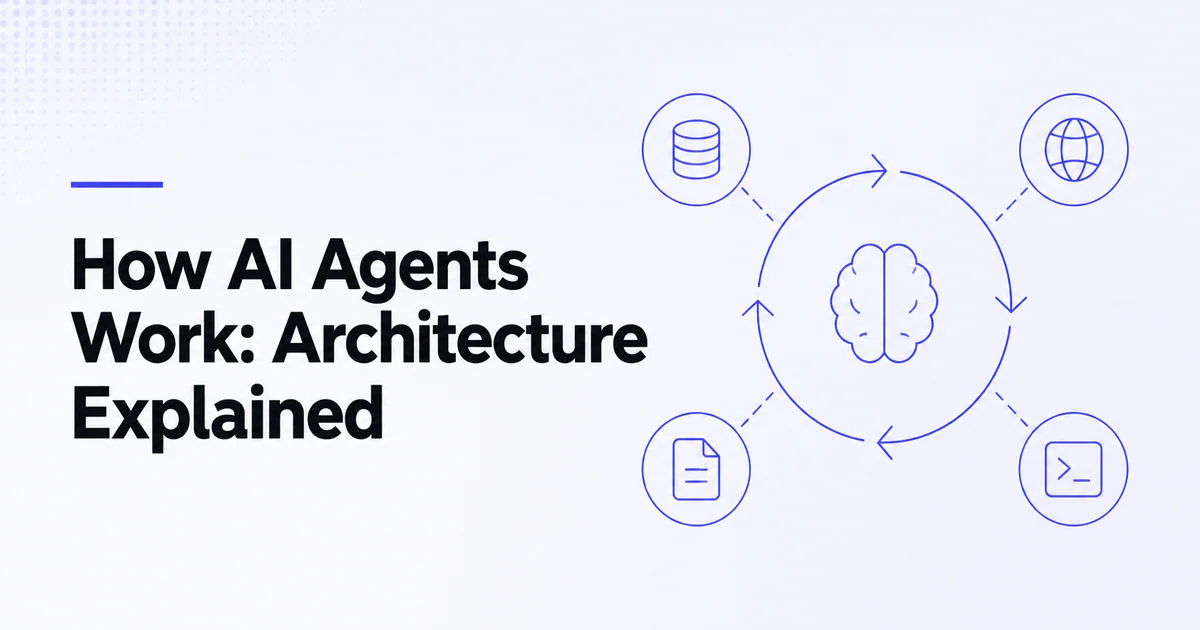
Quick answer: An AI agent works by placing a model inside a controlled loop. The model receives a goal, instructions, state and available tools; selects a response or tool call; trusted code executes allowed actions; results return as observations; and the loop continues until success, failure, approval or a budget limit. The runtime—not the model alone—provides control.
This architecture turns a generative model into a system that can complete multi-step work. It also creates new failure modes. A production agent must make identity, tools, state, approvals, execution and observability explicit.
The agent loop
The simplest model is:
Goal → Context → Model decision → Tool execution → Observation → Next decision → Stop
1. Goal
The goal describes an outcome: “Investigate this failed payment and prepare the safest resolution.” It should include scope, constraints and what requires approval.
2. Context
Context can contain instructions, conversation history, user identity, retrieved knowledge, prior tool results and task state. Context is finite; including everything raises cost and can hide important facts.
3. Model decision
The model may produce a final answer, ask a clarifying question or generate structured arguments for a tool.
4. Tool execution
Application code validates authorization, schema and policy before executing the operation. The model should never be treated as the authorization layer.
5. Observation
The result—success, data or error—returns to the loop. Tool outputs should be concise, structured and explicit about failure.
6. Stop
The run ends when the outcome is achieved, no safe next step exists, a human decision is needed or a turn, time, cost or tool budget is reached.
Model and instructions
The model interprets language and makes probabilistic decisions. Instructions define:
- role and task;
- allowed and disallowed behavior;
- evidence requirements;
- escalation conditions;
- response format;
- stopping rules.
Instructions cannot securely enforce permissions. They guide behavior; trusted application controls enforce it. OpenAI's current agent definition guidance recommends starting with one focused agent and separating specialists only when tools, policies or ownership materially differ.
Tools
Tools turn the model's decision into capability. Examples include:
- search documentation;
- retrieve a customer record;
- run a calculation;
- create a ticket;
- execute code in a sandbox;
- control a browser;
- send a prepared message;
- call an MCP server.
Each tool needs a clear name, description, typed parameters, structured output and narrow permission. Anthropic's tool engineering guidance emphasizes prototyping and evaluating tool descriptions because ambiguous tools degrade agent performance.
Read how to build an AI agent and MCP vs function calling for integration patterns.
State and memory
State answers “Where is this run now?” Memory answers “What information should persist?” They are related but not identical.
| State type | Example | Retention |
|---|---|---|
| Conversation | Recent user and assistant messages | Current session or thread |
| Working state | Current plan, completed steps, pending approval | Current run/task |
| User memory | Stable preferences with consent | Across sessions |
| External source | CRM, database, document store | Authoritative system |
| Trace | Model and tool events for debugging | Governance policy |
Do not turn every conversation into permanent memory. Store the minimum, attach provenance and allow correction or deletion. The AI agent security guide covers the related privacy and access controls.
Orchestration
Orchestration decides who owns each step. Common patterns include:
Single agent with tools
One agent retains control. This is the best starting point for most bounded workflows.
Handoffs
A specialist takes over a branch, such as billing or technical support. OpenAI's Agents SDK documentation describes handoffs as transferring conversational ownership.
Agents as tools
A manager agent calls a specialist for a bounded subtask and remains responsible for the final answer.
Deterministic routing
Application code selects a workflow based on trusted fields. Use this when routing rules are known.
More orchestration adds prompts, traces and approval surfaces. Read single-agent vs multi-agent systems.
Retrieval and context
Agents need current information. Retrieval can search documents, databases or the web. A useful pipeline:
- Rewrite or constrain the query.
- Retrieve from authorized sources.
- Rank and filter results.
- Provide content with source metadata.
- Require citations or evidence.
- Treat retrieved instructions as untrusted data.
RAG and MCP solve different layers. RAG retrieves knowledge for generation; MCP standardizes how applications connect to tools, resources and prompts. See MCP vs RAG.
Guardrails and approvals
Guardrails validate input, output or tool behavior. Approval pauses a run before a sensitive side effect. OpenAI's agent documentation distinguishes automatic guardrails from human review.
Examples:
- input rule blocks unsupported account requests;
- output validator requires a citation for a policy claim;
- tool guardrail rejects a refund above a threshold;
- human approves an external message or account change.
Approvals should display exact proposed arguments and effect. A general “trust this agent” toggle is not enough for high-impact actions.
Execution environment
Tools that run code, edit files or browse untrusted pages need isolation. A sandbox should have:
- disposable or snapshot-capable filesystem;
- narrow network access;
- resource and time limits;
- short-lived credentials;
- controlled mounts;
- output inspection;
- clear separation from the orchestration control plane.
IndieTools-listed ClawHost and NEXUS AI occupy different deployment and agent-infrastructure areas. Verify their current isolation and governance features for your workload.
Observability
Trace:
- goal and run identifier;
- model version and prompt version;
- tool names, arguments and sanitized results;
- approvals and actor identity;
- retries, errors and latency;
- final outcome and external side effects;
- token, tool and infrastructure cost.
Traces debug a single run. Evals score behavior across a dataset. Use both; a dashboard of average latency cannot explain a policy violation.
Failure and recovery
Design for:
- tool timeout after an action may have succeeded;
- rate limit or partial result;
- malformed tool output;
- user cancellation;
- expired authorization;
- model loop without progress;
- changed external state;
- prompt injection in retrieved content.
Use idempotency keys, read-after-write verification, bounded retries and resumable state. Never blindly repeat a payment, deletion or message send.
Frequently asked questions
Does an AI agent think like a person?
No. The agent uses a model to generate decisions from context. Terms such as reasoning and planning describe system behavior, not human consciousness.
What is the most important part of an AI agent?
The control boundary: clearly defined tools, permissions, state and stopping rules. A capable model cannot compensate for unsafe execution design.
Why do AI agents loop?
They need intermediate results to choose later steps. Loops become harmful when progress is undefined or budgets and stopping conditions are missing.
Can MCP provide tools to an AI agent?
Yes. MCP servers can expose tools, resources and prompts through a standard protocol. The host still decides trust, approval and authorization.

 Snapkin
 APINEED