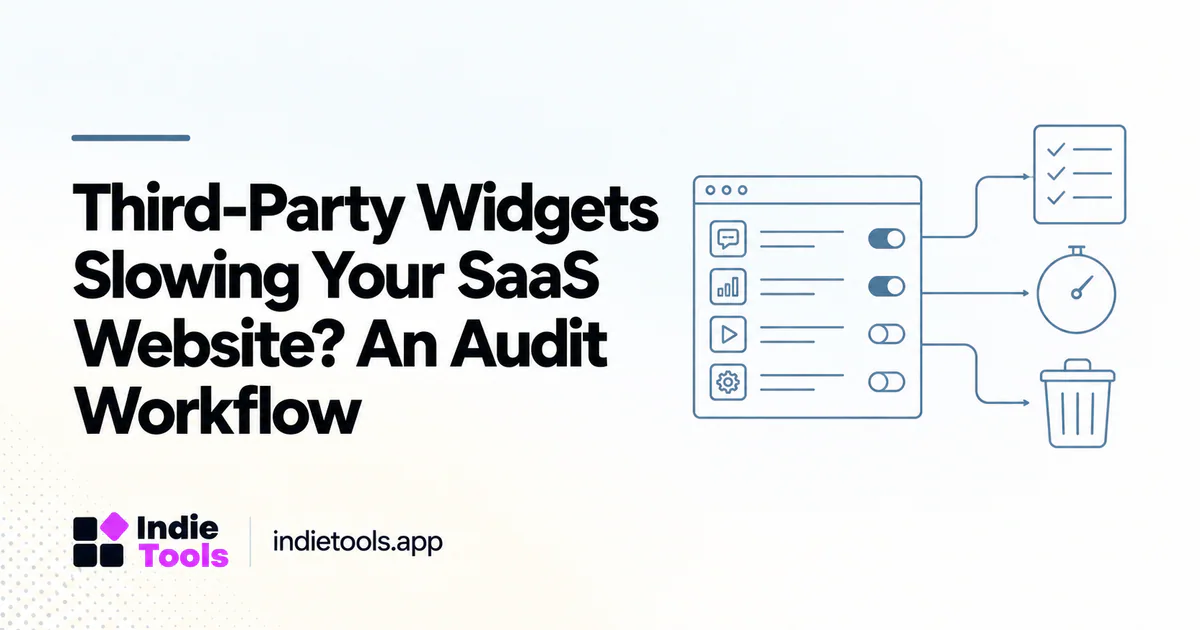
Audit third-party widgets by business purpose, loading behavior and measured cost. A script should not receive permanent priority simply because someone added it during a previous campaign. Your job is to preserve useful capabilities while removing unnecessary work from the visitor's critical path.
Google's third-party JavaScript guidance recommends understanding external dependencies and loading them efficiently. [1] For a SaaS founder, the operational challenge is often ownership: marketing, support and engineering may each add a widget without anyone reviewing the combined page.
Build an ownership inventory
Create one record per integration. Include its owner, purpose, affected routes, activation condition, data collected and removal risk. Separate essential transaction or security functions from optional demonstrations, experiments and promotional embeds.
Ask what decision each analytics integration supports. “We might need it later” is not a sufficient reason to initialize an abandoned experiment on every page. Equally, removing a support widget without providing another contact path may create a faster but less usable site.
An inventory should include tag-manager rules and scripts inserted by other integrations. Looking only at the source repository can miss dependencies introduced through a dashboard after deployment.
Measure components in isolation
Establish a baseline with the normal production configuration. Then disable one optional integration at a time in an authorized test environment. Keep content, network conditions and browser state consistent. Note whether the script is absent, delayed or replaced; those are different experiments.
Compare transfer size, requests, CPU work and the moment important controls become usable. A small script may trigger a larger dependency chain. A large resource may be harmless when requested only after a visitor explicitly asks for it. Cost depends on timing and behavior, not only file size.
Choose a treatment, not just a deletion
There are several useful treatments: load on relevant routes, initialize after a meaningful interaction, replace an embed with a lightweight preview or remove an unused integration. Choose the least disruptive option that meets the business requirement.
For example, a scheduling embed on a contact page may not belong on every product article. A customer testimonial video can begin as a poster and link. A chat widget might be needed on pricing but not in an anonymous speed benchmark table. These are proposed design choices; validate them against your own customers rather than treating them as universal rules.
Protect consent and security behavior
Do not bypass a consent mechanism or a fraud check just to improve a synthetic score. Coordinate changes with the relevant owner and test the complete workflow. In particular, delaying a visual element must not silently prevent required validation from running.
Document which integrations operate before consent, after consent and after an explicit action. This article is a performance workflow, not a determination of your legal obligations. Use your organization's privacy requirements when deciding what may load and when.
Evaluate the business effect
Consider a hypothetical support-widget experiment. Removing the widget improves initial load but increases abandoned signup attempts because visitors cannot ask an important question. That outcome suggests changing placement or activation, not celebrating the lighter page.
Measure the relevant outcome alongside performance: qualified contacts, successful bookings, completed signups or resolved issues. Keep a rollback path. When traffic is too low for a stable conversion comparison, combine technical measurements with a small number of observed user sessions and label the uncertainty.
Put the result in context
IndieTools Speed can help identify peer websites to inspect, but a leaderboard cannot reveal which external widgets are essential to your product. [2] Use it for discovery, then build your own integration inventory and controlled tests.
Should third-party scripts always be delayed? No. Timing should reflect the visitor's task and the integration's requirements.
What is the easiest win? An unused script with a known owner and no remaining business purpose.
How do you prevent the problem returning? Require an owner, loading rule and measurement plan whenever someone adds a new integration. Treat a widget as an ongoing dependency rather than a one-time snippet.
Explore related IndieTools resources: reported technology collections.
Continue your research
- Fast Homepage, Slow Pricing Page: An Audit Guide
- Reduce Signup Latency Without Removing Security
- A Performance Budget for SaaS Launch Pages
Sources and verification
Sources consulted for this article on October 1, 2026. Product capabilities are documented claims unless an actual test is explicitly described.