

Create paper-inspired videos and GIFs from images or phrases in your browser.
SnapForge is a powerful screenshot editor and design tool built for creators, developers, and teams who need to produce polished visuals fast. Capture any part of your screen, enhance it with professional effects, and export in one click.
• Visible area or custom selection
• Click-and-drag or two-corner capture modes
• Keyboard shortcut support (Ctrl+Shift+S)
• Upload any image for editing
• Add shadows, borders, blur, and grain effects
• Adjust brightness, contrast, and saturation
• Apply corner radius for modern, rounded looks
• Beautiful gradient backgrounds (presets or custom)
• Background images with opacity and positioning controls
• Line and arrow tools for annotations
• Freehand drawing with smoothing
• Blur tool for redacting sensitive content
• Precision movement with arrow keys (1px or 10px)
• Custom aspect ratios for any platform
• Adjustable padding for breathing room
• Dark and light editor themes
• Grid overlays for pixel-perfect alignment
• Download in PNG, JPEG, or WebP
• Copy directly to clipboard
• High-resolution output FREE FEATURES The core editor is free to use — no account required. Capture screenshots, apply effects, and export up to HD resolution (1920×1080). PRO FEATURES ($10/month or $60/year)
• Cloud Storage — automatically save your snaps and get instant shareable links
• Preset Creator — design and save your own custom styles
• One-click polish — apply presets to get beautiful screenshots instantly, no manual editing needed
• Unlimited presets
• High-resolution exports (beyond HD)
• Priority support
($30 one-time) - Limited time offer
• All Pro features except Cloud Storage
• Pay once, use forever
• Premium effects and filters
• Unlimited presets
SnapForge runs in your browser. Screenshots are processed locally — your images stay on your device unless you choose Cloud Storage (Pro only). Perfect for:
• Product teams creating documentation
• Developers sharing bug reports
• Designers building mockups
• Marketers making social media content
• Anyone who wants beautiful screenshots without opening Photoshop
Screenshot capture
Screenshot appearance editing
Image export and sharing
Founders, developers, designers, content creators and marketers.
SnapForge homepage
1 / 1Independent mobile lab measurements and permanent weekly competition results from IndieTools Speed.
Last checked
Latest Performance Score: 86. Measured: October 13, 2026. Weekly Overall Rank: #256. Category Rank: #10 in Design. LCP: 3.68 s. Load Time: 496 ms.
Inspect every successful mobile Lighthouse lab measurement by metric and date range.
Range
Latest score
86 / 100
Higher is better
10 measurements
Use the left and right arrow keys to inspect measurements. Use Home or End to jump to the first or last measurement. Press Escape to dismiss the chart tooltip.
Oct 6, 2026Oct 13, 2026Track the product's finalized overall position on the IndieTools Speed leaderboard.
Range
Latest rank
#256
Closer to #1 is better
2 weeks
Use the left and right arrow keys to inspect weeks. Use Home or End to jump to the first or last week. Press Escape to dismiss the chart tooltip.
Sep 28, 2026Oct 5, 2026Others in the same categories.
Create paper-inspired videos and GIFs from images or phrases in your browser.
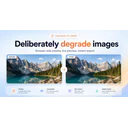
Low Quality Image Maker - Make Images Look Low Quality

Merge PNG Files Online Free – No Upload, Keeps Transparency

Type your name and see it in real cursive fonts, ready to download as PNG or SVG.
AI font generator and custom font maker: make real, installable fonts from a description, an image or your handwriting.