

Three coastal readiness assessments, each scored out of 1,000.
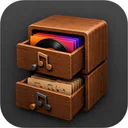

Local Music Organizer — Organize offline Music.app libraries: find duplicates and missing files, compare recordings with real-time A/B listening, manage playlists, convert audio, and enjoy three original players.
Local Music Organizer is a native macOS application for managing, analyzing and enjoying large offline music collections. It works alongside Apple's Music.app, helping people maintain libraries they have built over many years without moving their music into another service.
I've been collecting music since the early days of iTunes. Over time, my library accumulated CD rips, lossless albums, rare recordings, different versions of the same songs and hundreds of playlists. As I replaced older rips with better-quality files, changed sources and developed new musical tastes, everything became increasingly difficult to organize. By 2026, my collection was a complete mess.
The project began with a much smaller problem: I was unhappy with shuffle in Apple's Music app. In my experience, it often returned to familiar tracks while barely playing others. I wanted to rediscover recordings I'd forgotten I owned, so I started developing my own shuffle tool. One solution led to another, and eventually the project became Local Music Organizer.
The application builds a reusable local index of the existing Music.app library, including tracks, file locations, metadata and playlist membership. The index can be refreshed as the library changes, making repeated analysis of large collections more practical. Library Dashboard provides an overview of the collection and access to its maintenance tools.
Dedicated tools identify duplicate tracks across the Music library and repeated entries within individual playlists. Quality Duplicates goes further by helping collectors examine different versions of the same recording, including their audio formats, codecs, bitrates, sample rates and other available technical properties.
One feature I particularly wanted for my own collection is real-time A/B listening comparison. Users can listen to two versions of a recording and switch between them during playback to hear the differences directly. This is especially useful when comparing different CD rips, lossy and lossless copies, or recordings from different sources. Technical specifications are helpful, but hearing the difference is often more important.
Playlist Compare identifies tracks shared by different playlists and those that appear only in particular playlists. Library Map and Track Usage help examine relationships between recordings and playlists, including where a particular track appears throughout the collection. These tools are useful when reorganizing playlists accumulated over many years.
Health Check examines the library for unavailable files, broken references, missing information and other inconsistencies. File Search helps locate physical audio files across authorized local folders and drives, including external storage. File Maintenance provides additional tools for reviewing the physical files behind the Music.app library.
Audio Inspector examines technical properties of recordings, while Artwork Check and metadata inspection help identify missing covers, incomplete information and differences between Music.app records and their underlying audio files.
Repair / Convert provides tools for converting and processing local audio files. It supports available audio conversion formats, CUE-based albums, splitting album images into individual tracks and supported specialized sources, including SACD/DSD. Built-in codec utilities are included for supported operations. Metadata and artwork can be preserved where the formats allow it, and converted output is verified before the selected action is applied to the original file.
Shuffle Builder creates listening selections from the existing local library, helping users rediscover recordings that may have gone unheard for years. This was the original idea from which the entire application grew.
Alongside the library-management tools, I developed three original built-in music player designs.
One is inspired by classic hi-fi equipment and resembles a traditional graphic equalizer. Glass Player takes a different approach, displaying a three-dimensional, music-reactive audio spectrum. It offers extensive customization of spectrum geometry, viewing angles, colors, lighting, glass appearance, reflections, glow and other visual effects. Users can create anything from a restrained visualization to a much more elaborate display.
The players offer local audio playback, track navigation, playback queues, album artwork, live spectrum analysis and waveform visualization. Music discovered through the library tools can also be opened for listening without leaving the application.
Local Music Organizer is designed for people who still enjoy owning their music. Streaming services are convenient, but I prefer maintaining my own archive, knowing where my recordings are and being able to listen without depending on a subscription.
The application follows a local-first approach. Library indexing, file inspection, analysis, conversion and playback take place on the Mac. Original music files remain under the user's control, and the application does not collect personal data or usage analytics.
I also believe that maintaining a music collection you already own should not require another monthly payment.
Local Music Organizer offers a three-day free trial, followed by an optional $29.99 one-time purchase for lifetime access. There are no subscriptions, automatic renewals or automatic charges when the trial expires.
The application is available exclusively through the Mac App Store and supports macOS 14 and later on both Apple Silicon and Intel Macs.
Local Music Organizer is intended for longtime music collectors, particularly those whose libraries go back to the iTunes era and who want better control over their recordings, playlists, files and listening experience.
Starting price: 29.99
View current pricingLibrary Index & Health Check
Build and refresh a reusable Music.app library index, examine collection health, and identify missing files, broken references and inconsistent records.
Duplicates & Real-Time A/B Comparison
Find library and playlist duplicates, compare different-quality recordings, and switch between two tracks during playback to hear the differences yourself.
Playlist Analysis & Shuffle Builder
Compare playlists, explore Library Map and Track Usage, and rediscover forgotten recordings with Shuffle Builder.
File Search & Maintenance
Locate audio files across authorized local folders and drives, review file locations, and maintain collections accumulated over many years.
Audio Inspector & Repair / Convert
Inspect codecs, bitrates, sample rates, artwork and metadata. Convert audio, process CUE-based albums and handle supported SACD/DSD sources.
Three Original Music Players
Enjoy local playback, queues and live audio visualization, including a classic hi-fi equalizer design and a highly customizable 3D Glass Player with adjustable geometry, lighting, colors and reflections.
For Mac users with large offline Music.app libraries: longtime collectors, CD-rip archivists, lossless enthusiasts and people managing large, complex playlists.
2026
Local Music Organizer product screenshot showing a colorful 3D equalizer visualization on a dark interface
1 / 4Independent mobile lab measurements and permanent weekly competition results from IndieTools Speed.
Last checked
Latest Performance Score: 93. Measured: October 12, 2026. Weekly Overall Rank: not finalized. LCP: 2.70 s. Load Time: 413 ms.
Inspect every successful mobile Lighthouse lab measurement by metric and date range.
Range
Latest score
93 / 100
Higher is better
6 measurements
Use the left and right arrow keys to inspect measurements. Use Home or End to jump to the first or last measurement. Press Escape to dismiss the chart tooltip.
Oct 10, 2026Oct 12, 2026Others in the same categories.
Three coastal readiness assessments, each scored out of 1,000.
Free Self-Hosted Ubuntu Hosting Panel

One calm place for everything you need today.

16 free calculators and generators for restaurants, pubs and cafés: QR menus, food cost, menu translation, allergen charts. No sign-up.

450+ free online tools, no sign-up needed

Find grants, then track deadlines, tasks and reports

